

Claude Code Channels: How Developers Use Discord, Telegram, and Slack Workflows in 2026
Claude Code Channels are changing how developers interact with AI-powered coding tools. If you are a developer, student, or engineer in the US, you have likely struggled with managing long-running tasks or switching between tools.
Instead of staying glued to your terminal, Claude Code Channels let you control your workflow from Discord, Telegram, or Slack. As a result, your development process becomes faster, more flexible, and easier to manage.
In this guide, you will learn what Claude Code Channels are, how they work, and how to use them effectively in real-world scenarios.

What Are Claude Code Channels?
Claude Code Channels act as a communication bridge between your local terminal and external platforms like Discord, Telegram, and Slack.
In simple terms, they allow you to:
- monitor tasks remotely
- approve AI actions
- receive real-time updates
Unlike traditional cloud tools, Claude Code Channels do not send your entire codebase externally. Instead, they use the Model Context Protocol (MCP) to keep your data local while enabling remote interaction.
For example, if a process fails, Claude can notify you on Telegram and wait for your response before continuing.
Therefore, Claude Code Channels transform AI from a tool into a responsive assistant that works alongside you.
Why Developers Are Using Claude Code Channels in 2026
Developers are adopting Claude Code Channels because they solve real workflow problems.
First, they remove the need to stay at your desk.
Second, they reduce interruptions during long tasks.
Finally, they improve collaboration across teams.
As a result, developers can:
- work asynchronously
- respond faster to issues
- maintain better control over AI-generated changes
In short, Claude Code Channels improve both productivity and flexibility.
How to Set Up Claude Code Channels
Before you begin, make sure you have:
- Claude CLI (v2.1.80 or higher)
- Node.js or Bun installed
The setup process is simple. However, each platform offers a different experience. You can read the complete setup guide here

Claude Code Channels with Telegram
Telegram is the fastest and simplest way to use Claude Code Channels.
Setup Steps
- Create a bot using @BotFather
- Run:
claude --plugin install telegram - Enter your bot token and pairing code
Example Use Case
Imagine you are traveling while running a script. Claude sends you a Telegram message asking for approval. You respond instantly, and the task continues.
Benefits
- very fast notifications
- excellent mobile experience
- easy setup
Limitations
- limited team collaboration
👉 Therefore, Telegram is best for solo developers.
Claude Code Channels with Discord
Discord is ideal for teams using Claude Code Channels collaboratively.
Setup Steps
- Create a Discord server
- Enable bot permissions
- Run:
claude --channels discord
Example Use Case
A developer shares a bug in a thread. Claude suggests fixes while teammates guide the process in real time.
Benefits
- strong collaboration
- threaded discussions
- shared visibility
Limitations
- can become noisy without structure
👉 As a result, Discord works best for teams and communities.
Claude Code Channels with Slack
Slack provides a structured and secure environment for Claude Code Channels.
How It Works
Most teams use Slack for:
- alerts
- monitoring
- approvals
Example Use Case
Claude analyzes a failed deployment and sends a fix suggestion to Slack for review.
Benefits
- enterprise-grade workflows
- controlled access
- strong integration ecosystem
Limitations
- more complex setup
👉 Therefore, Slack is best for organizations and startups.
Real-World Use Cases of Claude Code Channels
Developers are using Claude Code Channels in practical ways every day.
1. Remote Approvals
You can approve code changes from your phone without returning to your desk.
2. Asynchronous Debugging
Run tasks in the background and respond only when needed.
3. Multi-Platform Monitoring
Claude can track logs and notify you when errors occur.
As a result, your workflow becomes more efficient and less stressful.
Telegram vs Discord vs Slack for Claude Code Channels
| Feature | Telegram | Discord | Slack |
|---|---|---|---|
| Setup Difficulty | Easy | Medium | Hard |
| Mobile Experience | Excellent | Good | Average |
| Collaboration | Low | High | High |
| Speed | Very Fast | Fast | Moderate |
This comparison helps you choose the right platform based on your needs.
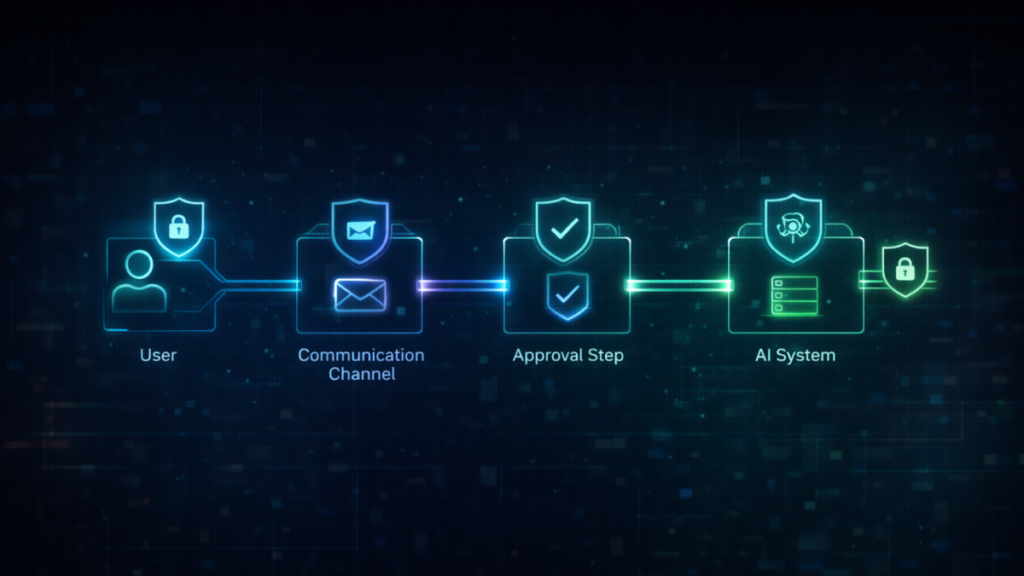
Security Best Practices for Claude Code Channels
When using Claude Code Channels, security should be a priority.
1. Use an Allowlist
Only allow trusted users to send commands.
2. Enable Channels When Needed
Do not keep channels active permanently.
3. Require Manual Approval
Avoid automatic execution for critical actions.
Therefore, following these steps will keep your workflow safe.
Conclusion: The Future of Claude Code Channels
Claude Code Channels are redefining how developers work with AI tools.
Instead of being tied to a terminal, you can:
- work from anywhere
- collaborate in real time
- manage tasks efficiently
If you are just starting, begin with Telegram. Then, expand to Discord or Slack as your workflow grows.
Ultimately, Claude Code Channels turn AI into a true development partner.
FAQ
Does Claude Code Channels require the terminal to stay open?
Yes, unless you are running it on a remote server.
Is my code shared with external platforms?
No, Claude Code Channels only share approved interactions, not your full codebase.
Can teams use Claude Code Channels together?
Yes, especially with Discord and Slack integrations.
